Templates
Templates reuse rigging work: a template is a saved piece of a model, parts, meshes, ArtPaths with their brushes, deformers, parameters, keyforms, textures and optionally physics, that you can insert into another project or whose rig you can transfer onto different artwork.
The Templates panel
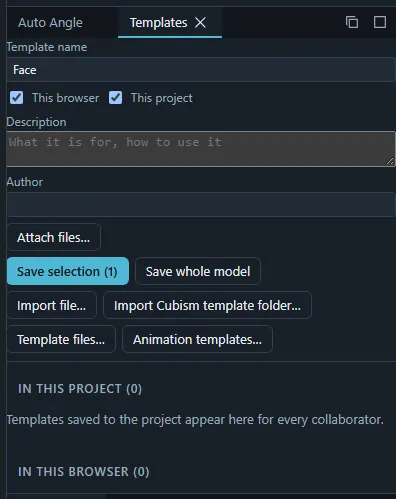
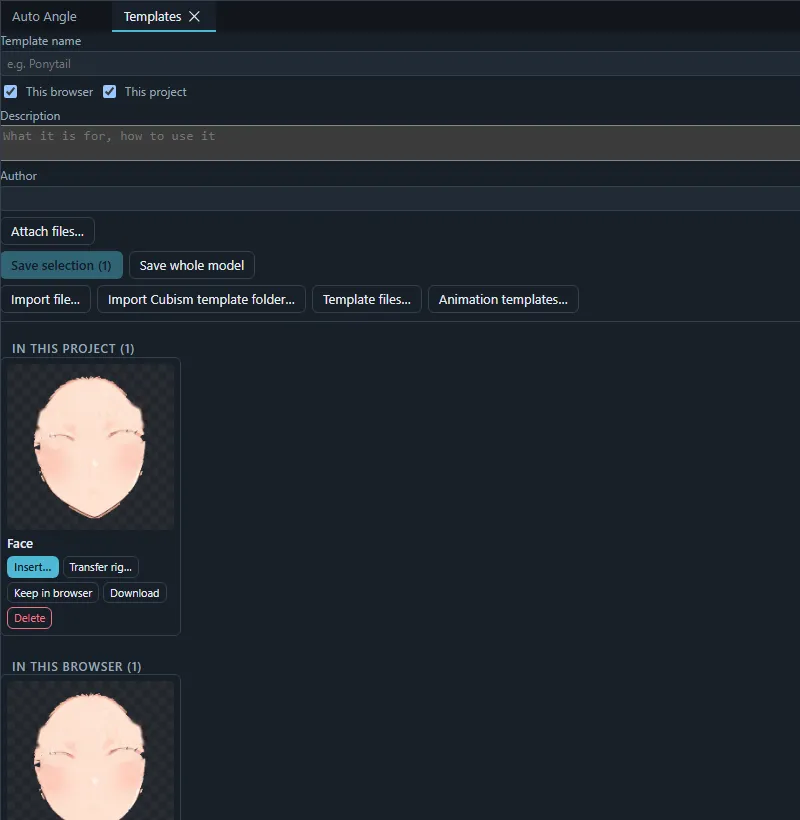
- Save selection or Save whole model stores a template with a name, a description, an author, attached files (for example a read-me or a licence) and the physics groups to include. Choose where it is kept: This project (every collaborator sees it) or This browser (available in every project you open in this browser).
- Each template in the lists can be Inserted, used for a Rig transfer, Downloaded as a file, or Deleted.
- Import file… adds a downloaded template file; Import Cubism template folder… and Template files… read Cubism Editor model templates.
Inserting a template
Insert… adds the template’s objects to the project as one undoable change. IDs that already exist in the project are renamed, and the textures are uploaded to the project’s asset store. An ArtPath brush that the project already has with the same settings and tip image is shared instead of added again; the dialog lists how many brushes are shared and added.
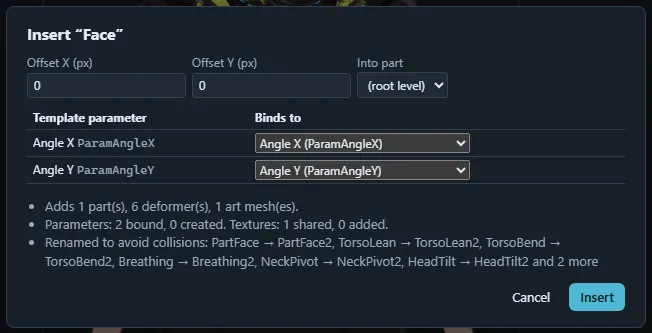
A Cubism parts file (.cmp3) opened with Import › Parts or template… or dropped on the window goes through the
same insert dialog.
Rig transfer
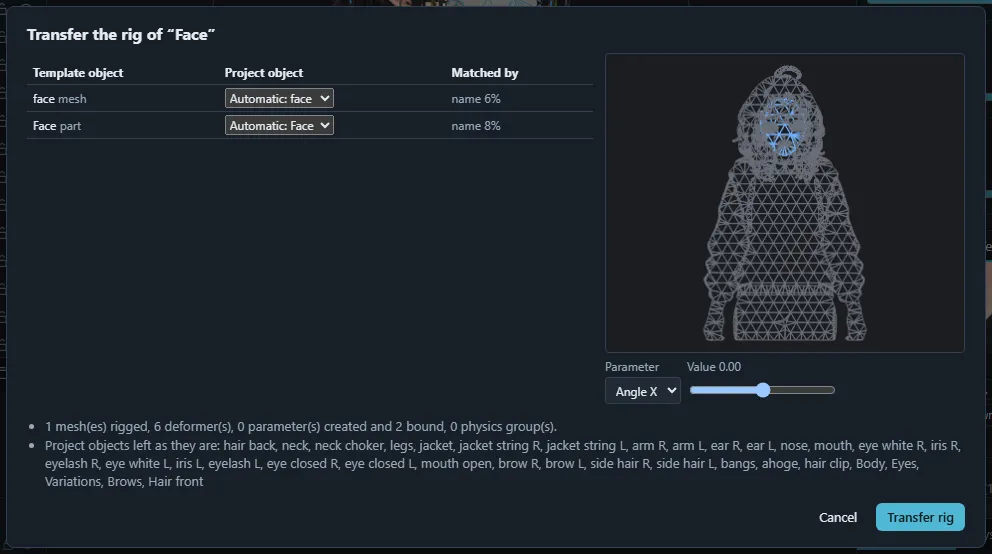
Transfer rig… applies a template’s deformers, parameters and keyforms to your art meshes:
- The Object mapping table pairs each template object with a project object, Automatic (the Matched by column tells why) or chosen by hand; (not transferred) skips one.
- A preview canvas shows your meshes moved by the transferred rig; pick a parameter and drag its value to check the motion.
- Transfer rig creates the deformers and parameters and binds your meshes, as one change. A summary lists what was rigged and what was left as it is.
Animation templates
Animation templates… keeps keyframe rows saved from a timeline (Cubism .ctmp3 files can be
imported) in this browser’s library and applies one to the selected model track at the
playhead: the template’s first frame lands on the playhead and the track’s keys in its span are
replaced. See Animation.